Commercial
Best AI Video Avatar Platforms of 2025: Reviewed and Rated

Best AI Video Avatar Platforms of 2025: Reviewed and Rated
The world of video avatars has changed dramatically with the rise of AI video avatar platforms in 2025. These powerful tools have transformed how businesses create engaging videos, making it possible to produce professional-quality content without the need for cameras, crews, or actors.
This guide will explore the most advanced AI video generators available today. We will focus on their practical applications in various areas, such as:
- Corporate training programs
- Employee onboarding
- Sales presentations
- Internal communications
- Marketing campaigns
This guide is specifically designed for business leaders, HR professionals, trainers, and sales teams who want to use AI technology to create impactful videos. In building RealTalkStudio, we thoroughly tested each platform's features for creating AI avatars, generating training materials, and producing multilingual content.
Whether you want to improve your training processes or enhance your communication strategies, our detailed analysis will help you find the best AI video generator for your needs.
Understanding AI Video Generators
AI video generators are a game-changer compared to traditional video production methods. These text-to-video tools use artificial intelligence to create professional-quality content without expensive equipment, film crews, or physical studios.
Two Distinct Types of AI Video Avatars:
1. Pre-recorded Avatars
- Generated from provided audio or text transcripts
- Ideal for training materials and presentations
- Allows multiple takes and editing
- Perfect for scalable content creation
2. Real-time Avatars
- Enables live interactions and conversations
- Platforms like RealTalkStudio specialize in this technology
- Suitable for interactive training sessions
- Adapts responses based on user input
Business Benefits for Training and Learning:
1. Cost Efficiency
- Reduced production expenses
- No need for professional actors
- Reusable content across multiple sessions
2. Scalability
- Create content in multiple languages
- Easy updates and modifications
- Consistent message delivery
3. Accessibility
- 24/7 availability for learners
- Self-paced training options
- Global reach without time zone constraints
These AI-powered solutions transform how businesses approach video content creation, making professional-quality videos accessible to organizations of all sizes. The technology continues to evolve, offering increasingly sophisticated options for engaging, effective communication.
Top 10 AI Video Generators of 2025
1. Synthesia
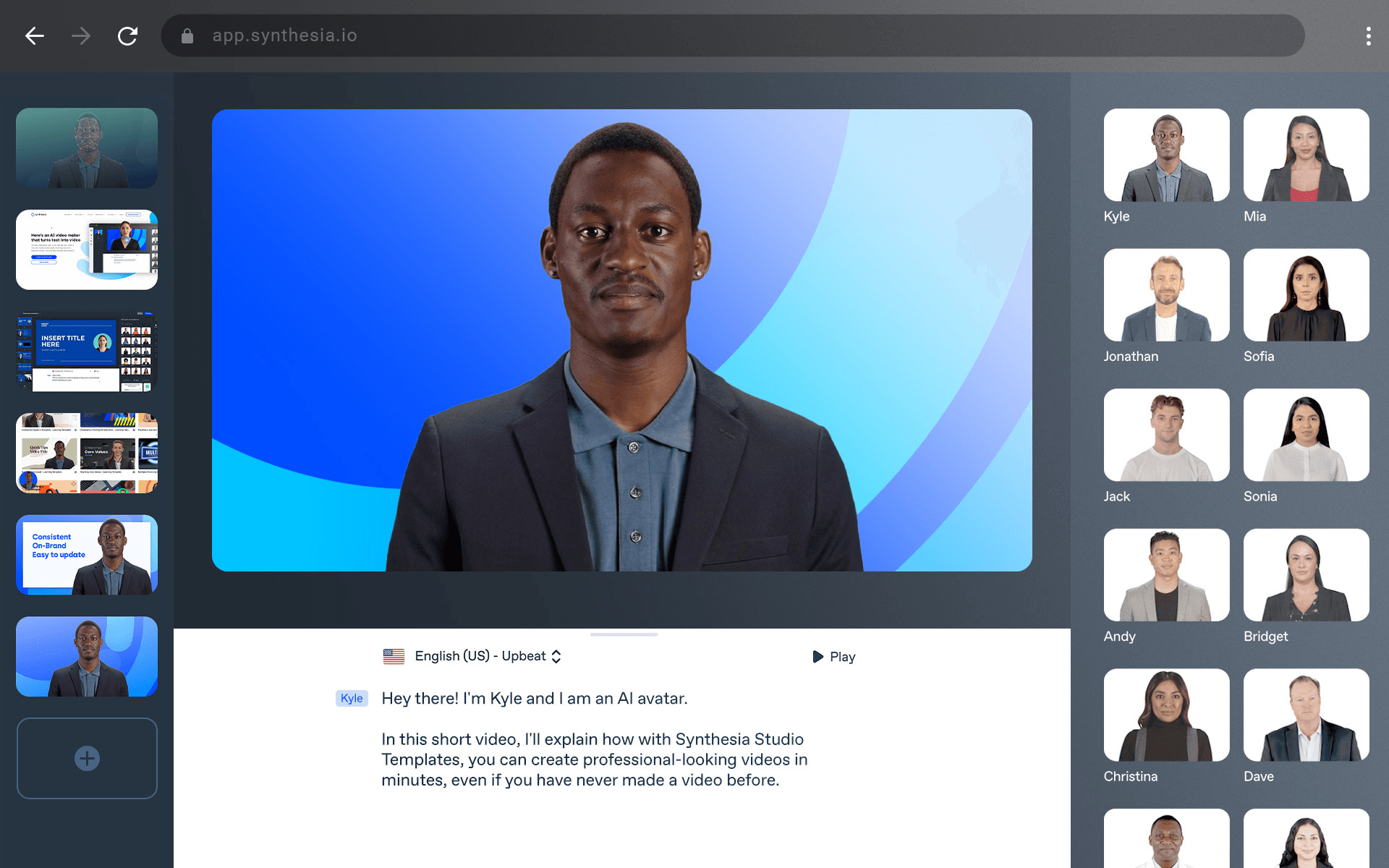
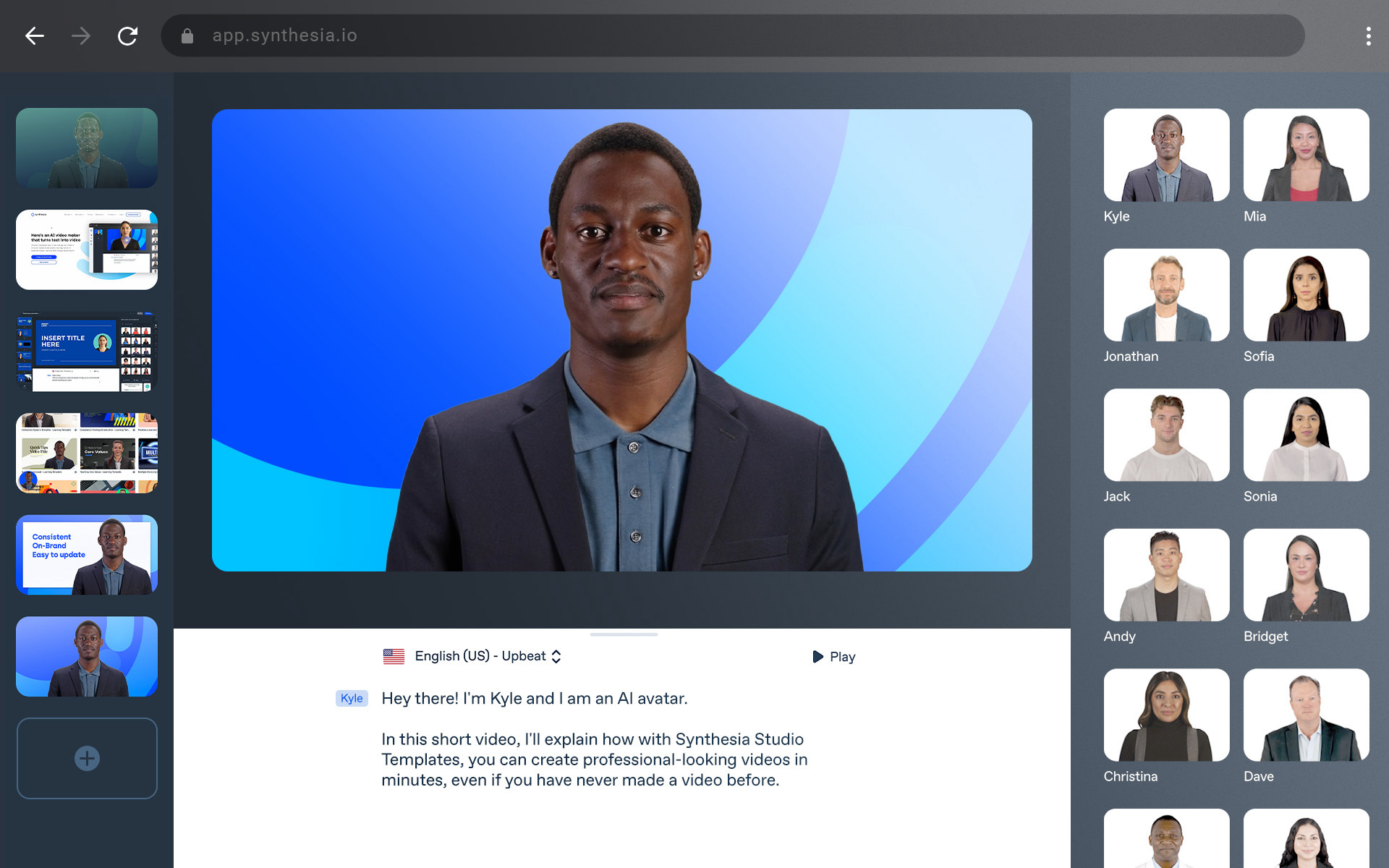
Synthesia is a leading AI video generator used by over 50,000 companies, including well-known brands like Reuters, Amazon, and BBC. It offers a wide range of features and capabilities that make it easy to create professional videos.
Key Features:
- 230+ AI avatars with diverse representation
- Support for 140+ languages
- 60+ professional templates
- Built-in multilingual video player
- Screen recording capabilities
- SCORM export for learning management systems
- Detailed analytics dashboard
Strengths:
- High-quality, natural-looking avatar movements
- Extensive gesture options for realistic presentations
- Live collaboration tools
- Seamless integrations with popular platforms
- Cloneable video library for quick content reproduction
Limitations:
- Premium pricing structure starting at $29/month
- No real-time avatar interactions
- Limited customization for avatar appearances
I recently used Synthesia to create a series of onboarding videos for a multinational team. The platform's multilingual support proved invaluable - we created one master video in English and then generated versions in Spanish, Mandarin, and French without additional recording sessions. The avatars maintained natural speech patterns and gestures across all languages, delivering consistent training experiences for our global workforce.
The platform excels in creating:
- Corporate training modules
- Product demonstrations
- Sales outreach videos
- Internal communications
- Customer support content
- E-learning materials
Synthesia's strength lies in transforming text scripts into professional-grade videos within minutes. The platform's integration with learning management systems through SCORM export makes it particularly valuable for organizations focused on scalable training solutions.
2. FlexClip
FlexClip is a powerful AI video generator explicitly designed for social media content creation. Its user-friendly drag-and-drop editor stands out from other tools, making video editing easy for everyone, regardless of their skill level.
Key Features:
- AI-powered text-to-video generation
- Extensive template library for various social platforms
- Royalty-free media collection
- Built-in script generation tools
- Automatic subtitle creation
- Background removal capabilities
The platform's strength lies in its template-driven approach. Users can select from a vast collection of pre-designed templates optimized for social media platforms, including Instagram, YouTube, and TikTok.
I recently used FlexClip to create promotional videos for a sales campaign. The platform's intuitive interface allowed me to produce 15 unique video variations in under two hours - a task that would have taken days using traditional editing software.
Pricing Structure:
- Free Plan: Basic features with a watermark
- Basic: $9.99/month
- Plus: $19.99/month
- Business: $29.99/month
Limitations:
- Limited advanced editing capabilities
- Restricted export quality on lower-tier plans
- No real-time AI avatar functionality
- Template customization constraints
FlexClip excels in quick content creation for social media marketing, making it an ideal choice for businesses seeking efficiency in their video production workflow. The platform's AI-powered features streamline the creation process while maintaining professional-quality output.
3. Veed
Veed is a browser-based AI video generator with professional-grade features for content creators. The platform's intuitive interface makes video editing accessible to users at any skill level.
Key Features:
- Automatic subtitle generation in multiple languages
- Background removal with AI precision
- Text-to-speech capabilities
- Smart resizing for various social media platforms
- Real-time collaboration tools
Pricing Structure:
- Free Plan: Basic features with a watermark
- Pro Plan: $24/month
- Business Plan: $48/month
I tested Veed's automatic subtitle feature during a recent client project involving multilingual training videos. The AI-powered subtitling saved approximately 4 hours of manual work per video, delivering 98% accuracy across English, Spanish, and French translations.
Strengths:
- Seamless team collaboration
- Browser-based accessibility
- Professional-quality outputs
- Multi-language support
Limitations:
- Watermark on the free version
- Limited storage on basic plans
- Internet connection required
- No real-time AI avatars
The platform excels in social media content creation with its auto-resize feature, adapting videos instantly for platforms like Instagram, TikTok, and LinkedIn while maintaining visual quality. Veed's cloud-based infrastructure enables smooth collaboration between team members, allowing simultaneous editing and feedback implementation in real time.
4. Runway
Runway's Gen-3 model stands out with its professional-grade video generation capabilities. The platform's Motion Brush feature enables precise control over video elements, allowing creators to manipulate specific areas while maintaining scene consistency.
I recently used Runway for a short film project, where its temporal control features proved invaluable. The platform's inpainting tool seamlessly edited scenes that needed adjustment, saving hours of traditional post-production work.
Key Features:
- Text-to-Video generation
- Image-to-Video conversion
- Dynamic camera controls
- Scene consistency tools
- Professional-grade inpainting
Pricing Structure:
- Free: 125 one-time credits
- Basic: $15/month (625 credits)
- Pro: $35/month (2250 credits)
- Unlimited: $95/month
The platform excels in creating high-fidelity cinematic content. During my project, I combined Runway with other AI tools - using Midjourney for initial image generation, then leveraging Runway's capabilities to transform still images into fluid video sequences.
A notable limitation is the credit-based system, which requires careful planning for larger projects. The platform focuses on AI-generated video content and does not offer real-time AI avatars.
The quality of video output makes Runway particularly suitable for:
- Short-form social media content
- Cinematic storytelling
- Visual effects creation
- Professional video production
5. Filmora
Filmora is an easy-to-use AI video editor that combines powerful features with a user-friendly interface. It is perfect for beginners who want to create professional-looking videos without any prior editing experience.
The software's Smart Cutout tool allows you to remove objects or change backgrounds with precision, while its Motion Tracking capabilities enable you to add dynamic effects to your training videos.
Key Features:
- Drag-and-drop interface for quick editing
- Auto Reframe tool for social media adaptations
- Audio enhancement tools including denoise and stretch
- Extensive effects library with regular updates
- Background removal with AI precision
I've implemented Filmora in creating instructional videos for our team training sessions. The Smart Cutout tool proved invaluable when highlighting specific interface elements in software tutorials - it allowed me to isolate and emphasize key features without distracting visual elements.
Pricing Structure:
- Free version available with basic features
- Annual subscription plans start at $49.99
- Lifetime access option for one-time payment
Strengths:
- Cost-effective compared to professional editing suites
- User-friendly interface requires a minimal learning curve
- Comprehensive tutorial library for new users
Limitations:
- AI tools lack the precision of premium alternatives
- Slower rendering times for HD files with multiple effects
- No real-time AI avatar generation capabilities
For training video creation, Filmora excels in producing clear, engaging content without technical complexity. The software's balance of accessibility and functionality makes it an attractive choice for educational content creators working within budget constraints.
6. Munch
Munch is an AI video generator that specializes in content repurposing. It takes long videos and turns them into shorter, social media-friendly clips.
Key Features:
- Uses AI to analyze content
- Automatically finds important parts of the video
- Adapts videos to different formats for various platforms
- Allows for custom branding
- Can process multiple videos at once
I recently used Munch to transform a 2-hour training webinar into 15 engaging social media clips. The AI accurately identified key moments and automatically adjusted aspect ratios for different platforms. The resulting clips maintained the core message while fitting perfectly into our social media strategy.
Content Repurposing Applications:
- Training video summaries
- Course highlight reels
- Product demonstration clips
- Customer testimonial snippets
- Internal communication briefings
The platform's strength lies in its ability to preserve context while creating shorter, attention-grabbing segments. During a recent project, Munch helped extract valuable insights from our quarterly sales meetings, creating micro-learning modules for our sales team.
Limitations:
- No avatar creation capabilities
- Limited original content generation
- Requires existing video content
- Basic editing features
The pricing structure follows a tiered model, with plans starting at $39/month for individuals and scaling up for enterprise needs.
7. Colossyan
Colossyan stands out in the AI video generation landscape with its specialized focus on scenario-based training videos. The platform's strength lies in its ability to create immersive learning experiences through realistic roleplay simulations.
Key Features:
- PowerPoint upload functionality for quick video creation
- Auto-translation capabilities across 70+ languages
- Diverse avatar selection with natural gestures
- Built-in scenario templates for common training situations
Pricing Structure:
- Starter: $39/month (1 user, basic features)
- Business: $79/month (advanced features, multiple users)
- Enterprise: Custom pricing for large-scale deployments
I recently used Colossyan to develop a complex customer service training program. The platform's scenario-based approach allowed us to create realistic interactions between AI avatars representing both customers and service representatives. The auto-translation feature proved invaluable, enabling us to deliver the same training content across our global offices without additional production costs.
Advantages:
- Intuitive scenario builder
- High-quality avatar animations
- Seamless PowerPoint integration
- Robust language support
Limitations:
- Limited customization options for avatars
- No real-time interaction capabilities
- Restricted background options
- Fixed camera angles
The platform excels in creating structured learning content, particularly for soft skills training and compliance scenarios. Its straightforward interface makes it accessible for training professionals without extensive video production experience.
8. Hour One
Hour One stands out with its hyper-realistic AI avatars that deliver natural-looking video content at remarkable speed. The platform's strength lies in its ability to create engaging, customer-facing videos that maintain authenticity and professionalism.
Key Features:
- Lifelike avatar expressions and movements
- Customizable backgrounds and settings
- Simple text-to-video interface
- High-definition output quality
- Multiple language support
Pricing:
- Free trial available
- Business plans start at $49/month
- Enterprise solutions with custom pricing
I recently used Hour One to create a series of sales presentations for our global markets. The platform's realistic avatars helped establish instant credibility with potential clients, particularly in regions where we didn't have local representatives. The videos generated positive feedback, with many viewers initially unaware they were interacting with AI-generated content.
Limitations:
- Basic editing capabilities
- Limited customization options for avatar movements
- Restricted background choices
- No real-time avatar interactions
Hour One excels in creating quick, professional videos for:
- Product demonstrations
- Sales pitches
- Customer support messages
- Company announcements
- Training materials
The platform's straightforward approach to video creation makes it an excellent choice for businesses prioritizing speed and authenticity in their customer communications. The realistic avatar quality sets it apart from competitors, though users seeking extensive editing capabilities might need supplementary tools.
9. HeyGen
HeyGen stands out in the AI video generation landscape with its powerful combination of customizable avatars and real-time conversation capabilities. The platform excels in creating dynamic training scenarios through its extensive background options and lifelike avatar expressions.
Key Features:
- Real-time AI avatars enabling interactive conversations
- Customizable backgrounds for diverse training environments
- Natural facial expressions and gestures
- Multi-language support with voice cloning capabilities
- Integration options with learning management systems
During our development of interactive e-learning modules, HeyGen's versatile avatar system proved invaluable. We created engaging roleplay scenarios where learners could practice customer service interactions with AI avatars responding in real-time. The natural expressions and fluid movements of the avatars created an immersive learning experience that significantly improved engagement rates.
The platform's ability to handle back-and-forth conversations makes it particularly effective for:
- Sales training simulations
- Customer service practice sessions
- Soft skills development
- Leadership training scenarios
- Cultural sensitivity workshops
Our experience with HeyGen extends to powering RealTalkStudio's innovative roleplay platform. The integration process was seamless, allowing us to create dynamic training environments where participants engage in natural conversations with AI avatars. The realistic responses and emotional intelligence displayed by these avatars have revolutionized our approach to scenario-based learning.
Pricing Structure:
- Free trial available
- Professional plan: Starting at $49/month
- Enterprise solutions: Custom pricing based on needs
- Additional costs for premium avatars and features
The platform's robust API capabilities enable deep integration with existing training systems, making it a versatile choice for organizations looking to scale their interactive learning programs.
10. Descript
Descript revolutionizes video editing through its innovative script-based approach. The platform treats video editing like document editing, allowing users to modify video content by editing the transcript.
Key Features:
- Transcription-based video editing
- Multi-track audio and video editing
- AI-powered voice cloning capabilities
- Real-time collaboration tools
- Screen recording with automatic captions
Pricing:
- Free Plan: Basic features with a watermark
- Creator: $12/month
- Pro: $24/month
- Enterprise: Custom pricing
Our experience with Descript in developing training materials has been transformative. The ability to edit videos by modifying text streamlines the creation process significantly. During a recent course development project, our team utilized Descript's collaborative features to gather feedback from subject matter experts. The platform's comment system enabled precise feedback on specific segments, reducing revision cycles by 40%.
The script-based editing approach proves particularly valuable for trainers who need to make frequent content updates. When updating compliance training materials, we could quickly locate and modify specific sections without scrubbing through hours of footage.
Standout Benefits for Training:
- Quick content iterations based on transcript edits
- Seamless team collaboration
- Easy removal of filler words and mistakes
- Integration with learning management systems
- Automated caption generation for accessibility
Descript's overdub feature allows trainers to make minor script adjustments without re-recording entire sessions, saving valuable production time while maintaining consistent voice quality throughout the training materials.
Comparison of Top AI Video Generators
Each AI video generator excels in specific areas, making it suitable for different use cases and budgets.
Recommendations:
For Training Teams:
- Limited Budget: Filmora
- Mid-Range: Colossyan
- Enterprise: HeyGen
For Marketing Teams:
- Limited Budget: FlexClip
- Mid-Range: Veed
- Enterprise: Runway
These recommendations consider team size, budget constraints, and specific use cases to help you select the most appropriate AI video generator for your needs.
Practise the live version on the Real Talk Studio platform— scored attempts against characters that push back, not a script on a slide.